
AnyPS5 Windows setup: choose matching files
Take relinker-v0.1.2.exe and prx-windows-v0.1.2.zip from official downloads. Extract the PRX archive without separating its supporting DLLs. Prepare a clean executable and the title’s module directory.
2. Convert from PowerShell
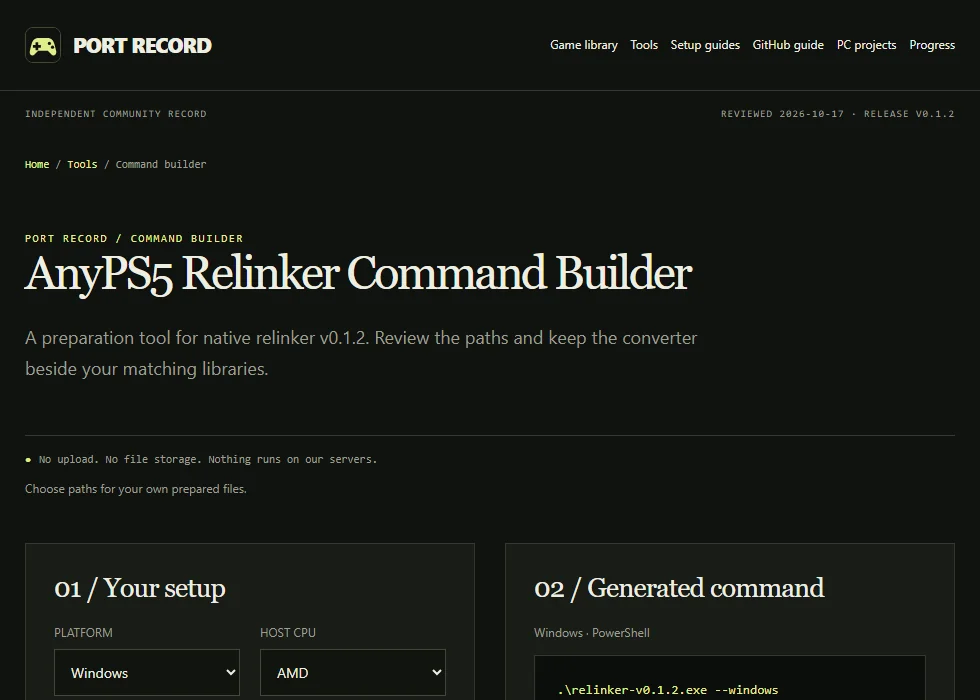
.\relinker-v0.1.2.exe --windows 'source/input.elf' 'output/app.exe'Create your separate output directory first. Add --to-intel for supported AMD-instruction conversion on Intel hosts. This cannot translate instructions generated by the game at runtime. Use the command builder for your paths and optional registry/diagnostic switches.
3. Arrange the files the output loads
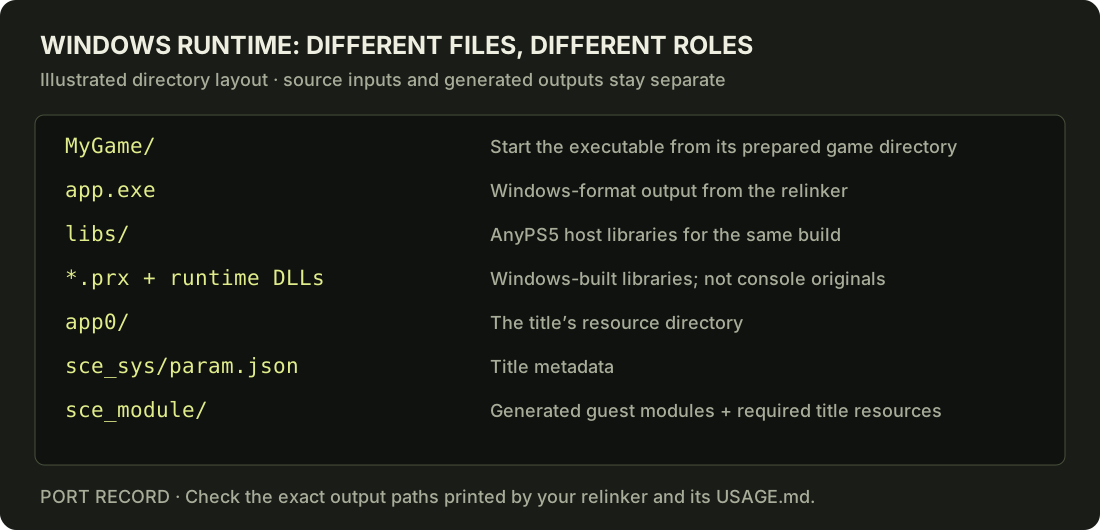
output/
  app.exe
  libs/
    <Windows host PRXs and supporting DLLs>
  app0/
    <original title resources>
    eboot.bin
    sce_module/
      <converted title modules>
Keep the title’s original resource tree, including metadata it expects. The relinker prints converted module paths; retain that layout rather than placing original PS5 libraries into the host-library directory.
4. Launch the converted output
.\output\app.exeRun from PowerShell to preserve the first error. The converter invoked without arguments prints usage and exits; that behavior does not mean it has prepared or tested a game.
5. Diagnose the failing stage
Error 126 can mean a PRX dependency DLL is missing. Error 193 can mean a console PRX has been placed in host libs/. A direct-memory allocation failure concerns the system commit limit, not a universal minimum-RAM figure.
Documentation-derived instructions; this site has not independently benchmarked a Windows game run.
Keep source files, guest modules and host libraries separate
First identify your conversion tool and its version. Our command builder prepares a local command; it is not a browser converter. If following the video’s browser workflow, verify the converter through the upstream repository ↗ and retain its version with the result.
Do not rename an ELF to .exe, replace host libraries with console PRX files, or infer success from the existence of a ZIP. The executable needs the right Windows output format and matching host libraries. Use the SELF input guide when the main input or a bundled module is not a clean ELF.
Match a video scene to a report
The demonstration uses Dreaming Sarah. Our Dreaming Sarah report page keeps source revisions and hardware separate from the video. Do not transfer its result to another title or treat the creator’s remarks about other games as compatibility evidence.
These time links are editorial navigation based on the English subtitles. Full command text must be checked in the actual tool’s documentation; subtitles can misrecognize file and option names.
Sources
Prepare your next step.
Use the local tools alongside the upstream documentation.